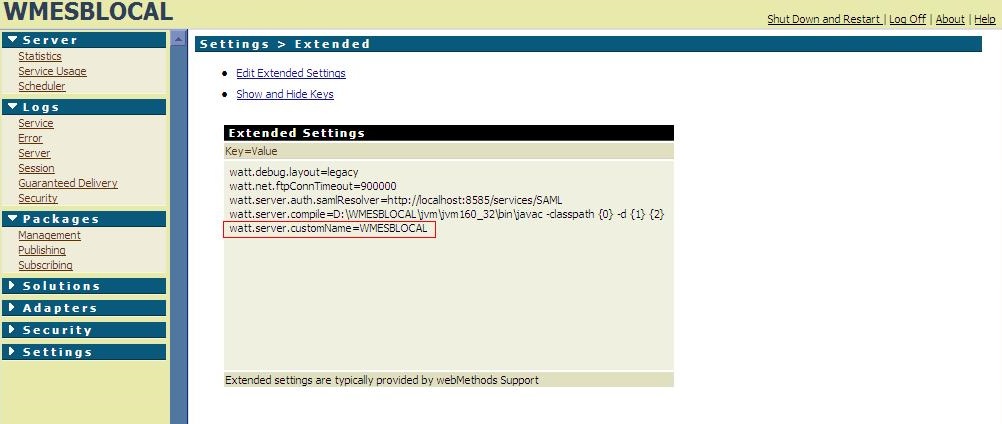
Customizing IS Admin Page, to Change The appearance of IS Admin Page:
As we know IS Admin console GUI developed purely in DSP's we can find the pages and tweak according to our requirements, below is one of the customization and we can do many like this.....
Go to: D:WMESBLOCALIntegrationServerpackagesWmRootpub
And open webMethods.css(stylesheet)
Note: You Can change the Name of the server appearing on the Top left Hand corner by Changing below script in webMethods.css
.topservername
{
text-align: left;
background-color: #E7EAAA;
color: #2D3F59;
font-weight: bold;
font-size: 18pt;
}
Note: For introducing the Name on the Top Left Hand corner of the IS Admin page:
Go to: D:WMESBLOCALIntegrationServerpackagesWmRootpub and open top.dsp and do following changes under the box as below.
After that you should go and start your IS and add the following data under red block marked in the screen shot and add it in your extended settings.
Hope you guys will try and enjoy..:)